Random Reads Stopped Being Expensive
I spent most of my graduate years listening to the rhythmic, mechanical click of hard drives—a sound that felt reliable until I realized it was actually the sound of physical limitations fighting against my code. Most people approach the debate of ssd behaviour versus hdd as a simple race of sequential throughput, assuming that more gigabytes per second automatically equals a better system. But I’ve seen plenty of high-end NVMe drives choke on specific workloads because the developer treated them like a magic black box, ignoring how the underlying flash management actually handles data. If you only look at the marketing benchmarks, you’re missing the real physics of how your data is actually being moved.
I’m not here to give you a sales pitch for the latest consumer-grade flash drive, nor am I interested in reciting spec sheets you could find on a retail site. Instead, I want to walk through the actual mechanics of how these two technologies diverge when things get messy—specifically regarding latency, wear leveling, and how they react to fragmentation. My goal is to help you understand the underlying architecture so you can stop guessing and start designing around the actual constraints of the hardware.
Table of Contents
The Mechanical Reality of the HDD
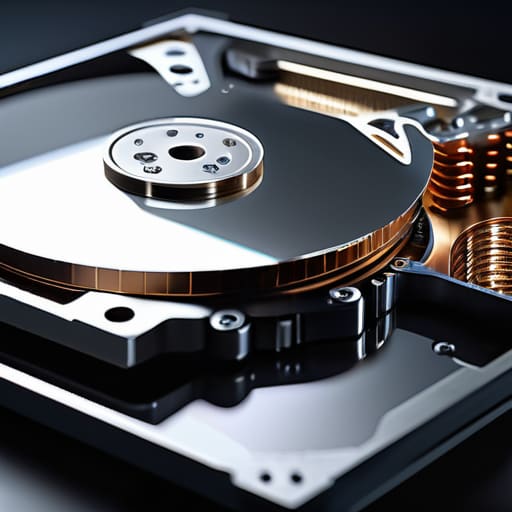
A Hard Disk Drive (HDD) is a data storage device that relies on magnetism and physical movement to function. At its core, it consists of rapidly spinning platters coated with magnetic material, where a mechanical actuator arm moves a read/write head across the surface to access specific sectors. The primary selling point of this technology has always been its unmatched cost-efficiency regarding high-capacity storage, making it the go-to for massive data archives.
When we talk about ssd behaviour versus hdd performance, we have to respect the physics of that spinning platter. If you are running a database that requires constant, heavy random I/O, you will feel the “seek time”—that agonizing micro-delay while the arm physically travels to the right track. It isn’t just a theoretical latency; it is a mechanical bottleneck that dictates how your entire system feels under load.
The Electronic Logic of the SSD
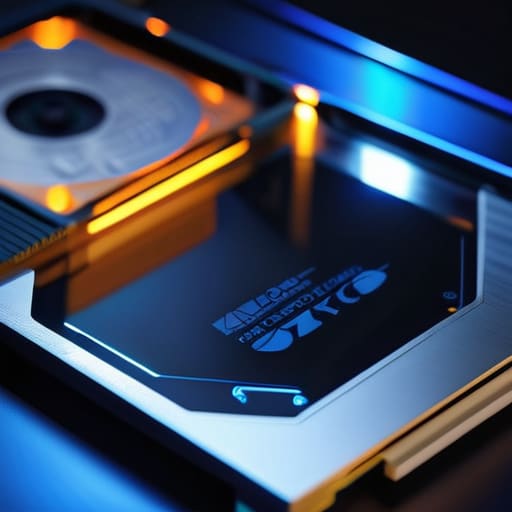
A Solid State Drive (SSD) is a non-mechanical storage medium that uses NAND flash memory to retain data. Instead of moving parts, it relies on electrical signals to trap or release electrons within microscopic cells, allowing for nearly instantaneous access to any given block of data. Its main advantage is its extraordinary random access speed, which eliminates the physical limitations inherent in older architectures.
In my experience, moving to an SSD feels less like a “speed boost” and more like removing a veil from your operating system. Because there is no physical head to move, the latency is effectively decoupled from the location of the data on the chip. However, I should be clear: this isn’t magic. While you’ll see massive gains in boot times and application launches, you are trading mechanical reliability for a finite number of write cycles, a trade-off that requires a different kind of system-level mindfulness.
Storage Device Performance Comparison
| Feature | SSD | HDD |
|---|---|---|
| Technology | Flash Memory (NAND) | Magnetic Platters |
| Speed | Extremely High | Low to Moderate |
| Durability | High (No moving parts) | Low (Sensitive to physical shock) |
| Noise Level | Silent | Audible spinning/clicking |
| Price per GB | Higher | Lower |
| Fragmentation Impact | Negligible | Significant |
| Best For | OS, Gaming, & Apps | Mass Data Archiving |
Mechanical vs Flash Storage Why Physicality Dictates Latency
When we talk about performance, most people jump straight to throughput—how many gigabytes per second can we shove through the pipe. But in real-world systems, throughput is often a vanity metric. The real killer is latency, and the reason latency differs so wildly between these two technologies comes down to a fundamental truth: physics is not negotiable.
In an HDD, you are fighting the laws of classical mechanics. To read a specific block of data, a physical actuator arm has to move across a spinning platter, and you have to wait for the correct sector to rotate underneath the head. This “seek time” is a massive, mechanical bottleneck that introduces unavoidable delays. Even the fastest enterprise drives are still tethered to the speed of moving parts.
An SSD, by contrast, operates entirely through electron movement within NAND flash cells. There are no arms to move and no platters to spin; you are essentially just addressing electrical gates. While you still have to deal with controller overhead and the complexities of flash management, the absence of moving parts means you can access data almost instantaneously compared to a disk.
For this reason, the winner is the SSD, purely because it bypasses the mechanical latency floor.
Iops Performance Difference Decoding the Logic of Random Access
If you only look at sequential throughput—how fast a drive moves a single, massive file—you’re missing the actual bottleneck of modern computing. In real-world workloads, like running a database or compiling code, your system isn’t reading one long stream; it is constantly hunting for tiny, scattered bits of data. This is where IOPS (Input/Output Operations Per Second) becomes the true metric of responsiveness.
An HDD is fundamentally crippled here because every random request forces a physical movement. The actuator arm must swing and the platter must rotate to the correct sector, a process that introduces a mechanical delay that no amount of clever software can bypass. In contrast, an SSD treats a random access request as a purely electrical event. There is no “seeking” in the physical sense; the controller simply directs voltage to the correct cells, allowing it to handle thousands of times more operations per second than its spinning counterpart.
For any workload involving fragmented data or high concurrency, the SSD doesn’t just win; it operates in a different dimension. The HDD is effectively stuck in the era of mechanical latency.
The Core Trade-offs in Mind
Performance isn’t just a single number; while SSDs crush HDDs in random access (IOPS), the physical reality of how they handle data means you can’t ignore the specific workload—sequential throughput still matters, and even the fastest flash can be throttled by a poorly designed controller or a saturated bus.
Latency is the real divider. An HDD is physically constrained by the time it takes to move a mechanical arm and spin a platter, whereas an SSD’s latency is electronic; however, this doesn’t make SSDs “instant,” it just shifts the bottleneck from mechanical movement to voltage management and NAND flash overhead.
Choosing between them is a matter of matching the mechanism to the task. Use HDDs when you need cheap, high-capacity sequential storage where a few milliseconds of seek time won’t break your system, but move to SSDs the moment your application starts making heavy, unpredictable requests for small chunks of data.
Choosing Your Architecture
At this point, the distinction is less about “which is better” and more about “which physical reality fits your workload.” We have seen that the HDD is a prisoner to its own mechanics; you cannot escape the seek time required to move a physical arm across a spinning disk, making it a poor choice for high-concurrency, random-access tasks. Conversely, the SSD removes that mechanical tax, but it introduces its own complexities, such as write amplification and the finite endurance of NAND cells. If you are building a high-frequency trading platform or a massive database, you need the deterministic IOPS of flash. If you are building a massive, cold-storage archive where cost-per-terabyte is the only metric that matters, the spinning platter remains a surprisingly resilient tool.
As you design your next system, I encourage you to look past the marketing spec sheets and focus on the underlying bottleneck. It is easy to throw more flash at a problem, but if your software architecture doesn’t account for how data is actually physically retrieved, you are merely masking inefficiency with hardware. Understanding the friction between electrons and magnetism won’t make your code run faster by itself, but it will stop you from making expensive mistakes. Build with the awareness that every bit of data eventually has to move through a physical medium, and respect the constraints that medium imposes.
